
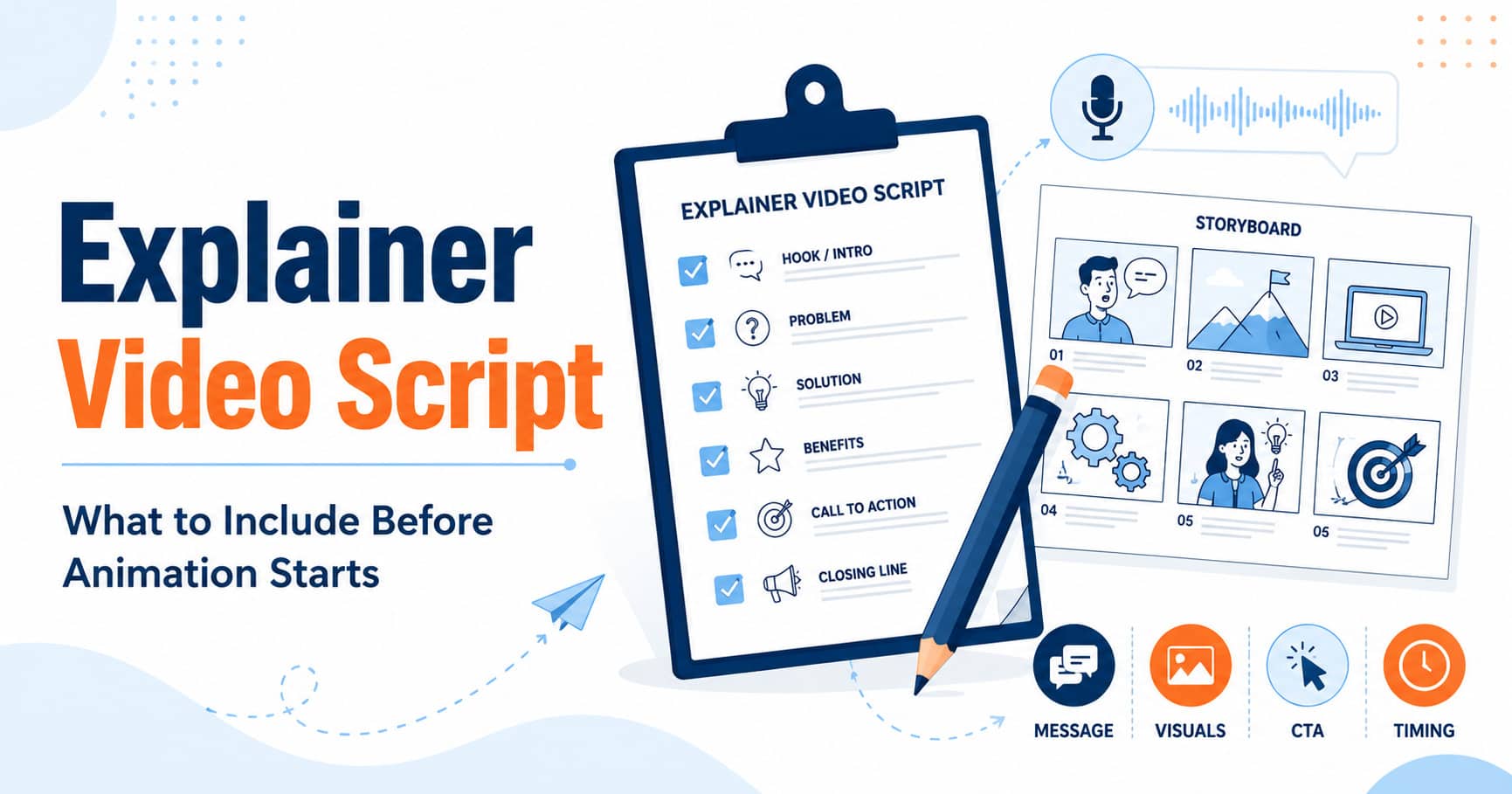
A good explainer video starts before any character is drawn, any scene is animated, or any voiceover is recorded. It starts with a clear script. The script decides what the viewer hears, what appears on screen, and what action the viewer should take next.
The useful point for most businesses is simple: you do not need to arrive with a perfect finished script. A strong video team can help turn your offer, sales notes, rough brief, or messy product explanation into a clear animated explainer video script. What you do need is enough clarity about your audience, offer, message, and next step.
This guide explains what an explainer video script should include before animation starts, what information to prepare, and how to avoid common scripting problems that make videos harder to follow.
Short Answer: You Do Not Need a Perfect Script to Start
You do not need a polished script before contacting a video agency. In many cases, it is better to start with a simple brief, a sales deck, a product page, or a short explanation of what your business does. The script can then be shaped around the buyer, the problem, the offer, and the call to action.
Before animation starts, however, the script should be approved. Late script changes can affect voiceover, storyboard, animation timing, visual scenes, and revision scope. That is why the scripting stage matters. It protects the project from unnecessary confusion later.
If you are still deciding the right format or budget, review your video package options before finalizing the script. A short whiteboard video, a standard 2D explainer, and a premium animated video do not need the same level of visual detail.
What Is an Explainer Video Script?
An explainer video script is the written plan for the video. It usually includes the voiceover text, the main message, the order of ideas, the visual direction, and the final call to action.
For a simple project, the script may look like a clean voiceover document with short visual notes. For a more detailed project, it may be expanded into a two-column format: one column for voiceover and one column for visual direction. Either way, the script should make the message easy to understand before animation begins.
The script is not supposed to explain every detail about your company. It should focus on what the viewer needs to understand first. That usually means one clear problem, one clear offer, a few important benefits, and one practical next step.
What Your Script Needs to Clarify First
Before writing line-by-line voiceover, clarify the basics. This prevents the script from becoming a long product brochure disguised as a video.
- Who is the viewer?
- What problem are they trying to solve?
- What does your product or service help them do?
- What is the main point they should remember?
- What should they do after watching?
These questions matter more than clever wording. If the message is unclear, animation will not fix it. Good visuals can make a strong message easier to understand, but they cannot rescue a weak or overloaded script.
The 7 Core Parts of an Explainer Video Script
A strong explainer video script usually needs seven core parts. They do not always appear in this exact order, but each one should be considered before production starts.
1. Target Audience
Start by defining who the video is for. A video for a SaaS founder should not sound the same as a video for a clinic owner, contractor, school administrator, or operations manager. The audience affects the wording, examples, visuals, pace, and call to action.
2. Main Problem
The viewer should quickly recognize the problem being discussed. Keep this section specific. Avoid broad statements like “business is hard” or “marketing is changing.” A better problem is concrete: scattered customer communication, unclear product value, slow onboarding, missed follow-ups, or a complicated buying process.
3. Simple Explanation of the Offer
Once the problem is clear, explain what the product or service does in plain language. This is where many scripts go wrong. They try to include every feature instead of explaining the offer simply. The viewer should be able to understand the basic value without needing a demo, brochure, or follow-up explanation.
4. Key Benefits
Benefits should explain why the offer matters. Keep them practical. Examples might include faster onboarding, fewer support questions, clearer sales conversations, easier booking, cleaner project handoff, or better internal training. Avoid vague claims that sound impressive but do not help the buyer make a decision.
5. Proof or Trust Points
The script can include trust signals, but they should be used carefully. This might include years in business, a specific process, relevant expertise, client examples, compliance awareness, or a clear production workflow. Do not invent results, statistics, or case studies. If there is no strong proof yet, use process clarity instead.
6. Visual Direction
The script should give the animation team enough visual direction to understand the scenes. For example, a whiteboard video may use simple sketches and process visuals, while a 2D animated explainer may use characters, interface elements, branded icons, and more polished scene transitions. If you are unsure which style fits, review the guide to choosing the right animation style before finalizing production direction.
7. Call to Action
The video should end with one clear next step. Do not ask the viewer to call, book, download, subscribe, compare packages, and visit three pages all at once. Choose the most useful next step for the video’s role. For a homepage video, that might be requesting a quote. For an educational blog post, it may be viewing examples or comparing packages. If the video will be sent by reps rather than watched on your site, the next step changes too; see our guide to using an explainer in your sales cycle.
Common Script Mistakes That Make Videos Hard to Follow
Most weak explainer scripts fail because they try to do too much. They explain every feature, introduce too many ideas, or speak in internal company language instead of buyer language.
- Starting with the company instead of the viewer’s problem.
- Trying to explain every product feature in one short video.
- Using jargon that buyers may not use themselves.
- Writing long sentences that sound unnatural when read aloud.
- Adding too many calls to action at the end.
- Treating animation as decoration instead of using visuals to support the message.
A useful test is to read the script out loud. If it sounds stiff, rushed, or confusing when spoken, it will probably feel the same in the finished video.
How Script Length Affects Video Length
Script length directly affects video length. A 30-second video needs a much tighter message than a 90-second video. If the script tries to include too much, the voiceover becomes rushed and the animation has no room to breathe.
As a practical planning guide, a 30-second video usually works best for a very simple offer or quick introduction. A 60-second video gives more room for the problem, solution, benefits, and next step. A 90-second video can work for more complex B2B offers, multi-step services, or products that need more explanation.
For a deeper breakdown, read the guide to 30 vs 60 vs 90 second explainer videos before deciding how much information to include.
Should You Write the Script Yourself or Let the Video Team Help?
You can write the first draft yourself, but you do not have to. Many businesses are better off preparing the raw material instead of trying to produce a finished script.
Useful material can include:
- A product page or sales page.
- A short description of the audience and problem.
- A sales deck or pitch notes.
- A list of common customer questions.
- A demo recording or product walkthrough.
- A few examples of videos you like.
From there, the video team can simplify the message, organize the structure, and write a voiceover script that fits the target length and animation style.
This is especially useful if you are comparing a whiteboard video package, a 2D animated explainer video package, or a premium animated video package. Each format has different pacing, visual detail, and production scope.
What to Prepare Before Requesting a Quote
Before requesting a quote, you do not need a final script. You only need enough information to help estimate scope and recommend the right direction.
Prepare these items if possible:
- Your target audience.
- The main product, service, or offer being explained.
- The problem your viewer needs to understand.
- The main action you want viewers to take.
- The page, campaign, or sales process where the video will be used.
- Any brand guidelines, examples, or preferred visual style.
- A rough target length or budget range.
If budget is the main question, start with the guide to animated explainer video cost or compare current Wyse Sales Videos pricing options. If style is the main question, review the animation style guide before choosing a format.
Next Step
A clear script makes the entire video project easier to manage. It gives the voiceover artist, designer, animator, and reviewer the same plan to follow. More importantly, it keeps the video focused on the buyer instead of drifting into a long list of features.
If you already have a rough message, sales page, or product explanation, that is enough to begin the conversation. You can view explainer video examples, compare video packages, or contact Wyse Sales Videos to discuss the right format before starting a project.

0 Comments